Monitor Placement
You can purchase the most expensive fiberglass panels on the market, but if your studio monitors are placed haphazardly, your mixes will still fail to translate. Monitor placement is pure geometry. The goal is to establish a pristine listening sweet spot where the direct sound from the speakers reaches your ears before any reflections interfere.
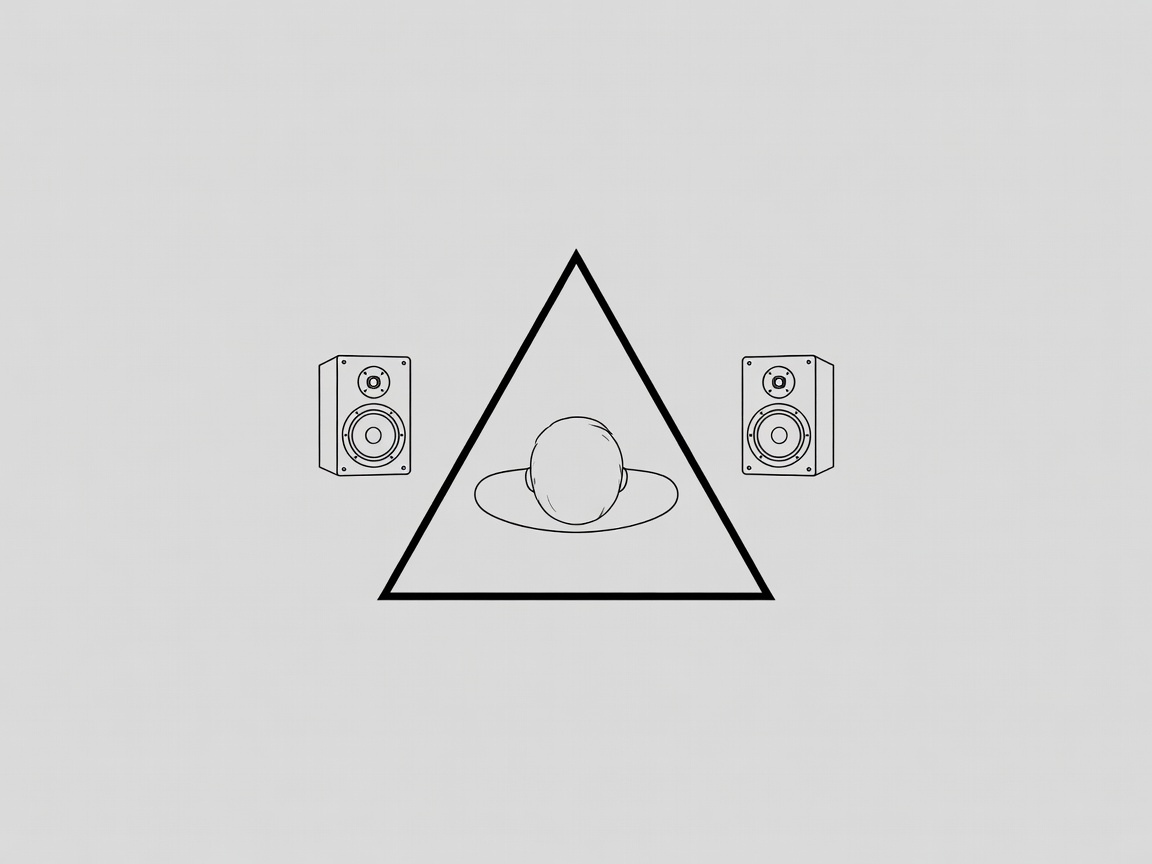
The Equilateral Triangle Rule
The golden rule of studio monitoring is the equilateral triangle. Your left monitor, right monitor, and your head (specifically just behind your head) should form three points of a perfect equilateral triangle.
- If the monitors are 48 inches apart from each other, your listening position should be exactly 48 inches away from the acoustic center of each monitor.
- The monitors must be angled (toed-in) so they point directly toward your ears. You should just be able to see the inner side-panels of the monitor cabinets.
- The tweeters (the high-frequency drivers) should be exactly at ear level. High frequencies are highly directional vectors; if they are aimed at your chest, you will incorrectly mix your track too bright to compensate.
Symmetry is Mandatory
Your mixing desk must be centered between the left and right walls. If your left monitor is 2 feet from a wall, and your right monitor is 5 feet from a wall, the reflection vectors will arrive at your ears at different times. Your stereo image will be irreparably skewed, and panning decisions will be impossible.
Shoot Down the Long Room
Always face the short wall, so your speakers fire sound down the longest dimension of the room. This gives low frequencies more distance to travel before bouncing off the rear wall, reducing the intensity of destructive rear-wall bass reflections.
Decoupling and Desk Bounce
Placing monitors directly onto a hard wooden desk creates two severe issues:
- Resonance: The physical vibrations of the speaker cabinet transfer directly into the desk, turning the entire desk into a giant, muddy low-end radiator.
- Desk Bounce (Comb Filtering): Sound from the monitor reflects directly off the flat surface of the desk and into your ears, mixing with the direct sound and causing aggressive phase cancellation in the lower mid-range.
The Solution: Decouple the monitors. Use heavy speaker stands that sit on the floor behind your desk. If they must go on the desk, use high-density acoustic isolation pads (like IsoAcoustics or dense neoprene). To prevent desk bounce, ensure the monitors are moved to the very front edge of the desk so reflections bounce over your head or down toward the floor, not up into your ears.
Finding the First Reflection Points
Once your triangle is set, you must treat your first reflection points. These are the spots on the left and right walls where sound bounces once before hitting your ear.
The Mirror Trick: Sit in your listening position. Have a friend slide a flat mirror along the left wall. The exact spot where you can see the reflection of the left monitor in the mirror is the center of your primary reflection point. Mark it. Do this for both monitors on both side walls, and on the ceiling (the acoustic cloud). Place your thickest rigid fiberglass panels centered exactly on these marks.